
You can assign contacts or companies to any task in the task scheduler (our name for Calendar appointments).
To get started, click Tools > Task Scheduler to load the Task Scheduler:
- Click the “Add New” button at the top right
- Fill out the task record
- There is space for you to attach the task to a contact and/or a company

If the option is checked out, the task will be visible also in the Client Portal.
What about CRM agents’ tasks in the Client Portal?
If CRM account agents have Client Portal access, they won’t see any assigned task if they have been assigned to the task as a CRM agent. The tasks can be seen only from the CRM backend in the wp-admin:
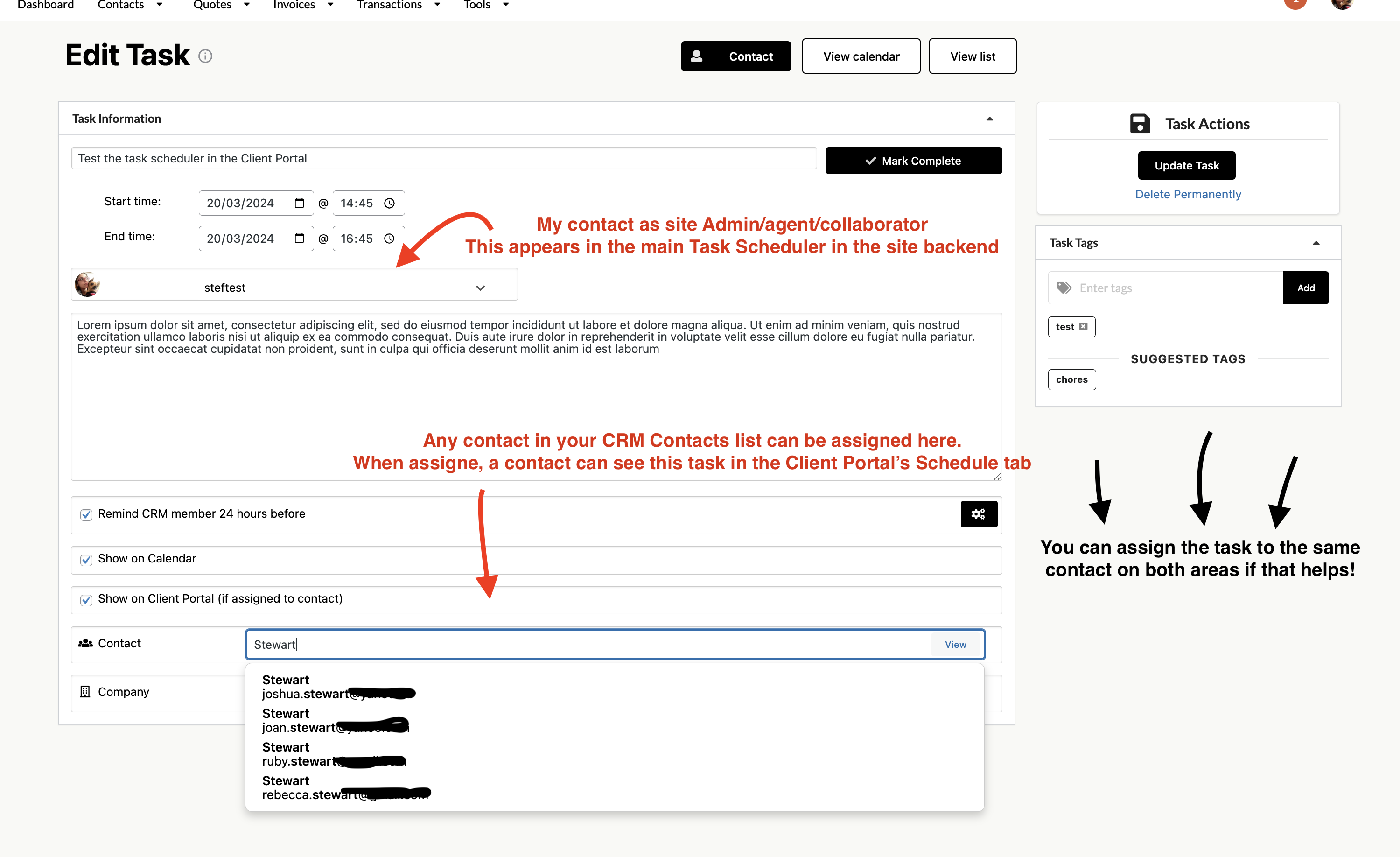
In order to see the tasks in the Client Portal, they need to be assigned to the task also as a contact, as per the instructions above.