
Download the Jetpack CRM extensions, set up your licence key, get automated updates for all the extensions, and the get the best out of your Jetpack Complete plan.
After purchasing Jetpack Complete, you automatically get access to all the Jetpack CRM extensions. In this page, you’ll get to know how to download the extensions if you have a Jetpack Complete licence key, and how to enter your licence key for automatic updates to the CRM extensions.
Access your Jetpack CRM extensions
The easiest way to access and manage the Jetpack CRM extension once you’ve purchased the Jetpack Complete plan and licence is from the Jetpack Cloud dashboard.
- Head to the main Jetpack Cloud dashboard page: https://cloud.jetpack.com/dashboard. If you have multiple Jetpack sites, you will need to select the site with the Jetpack Complete plan.
- Got to the Purchases area: https://cloud.jetpack.com/purchases/subscriptions/.
- Select the Jetpack Complete product row.
- Once clicked, you’ll be taken to a page which gives you all the details about your Jetpack Complete plan. Scroll down and click the CRM Downloads tab.
- The new screen shows your licence key. From here you can also download your Jetpack CRM extensions and install them the same way you would any other WordPress plugin.
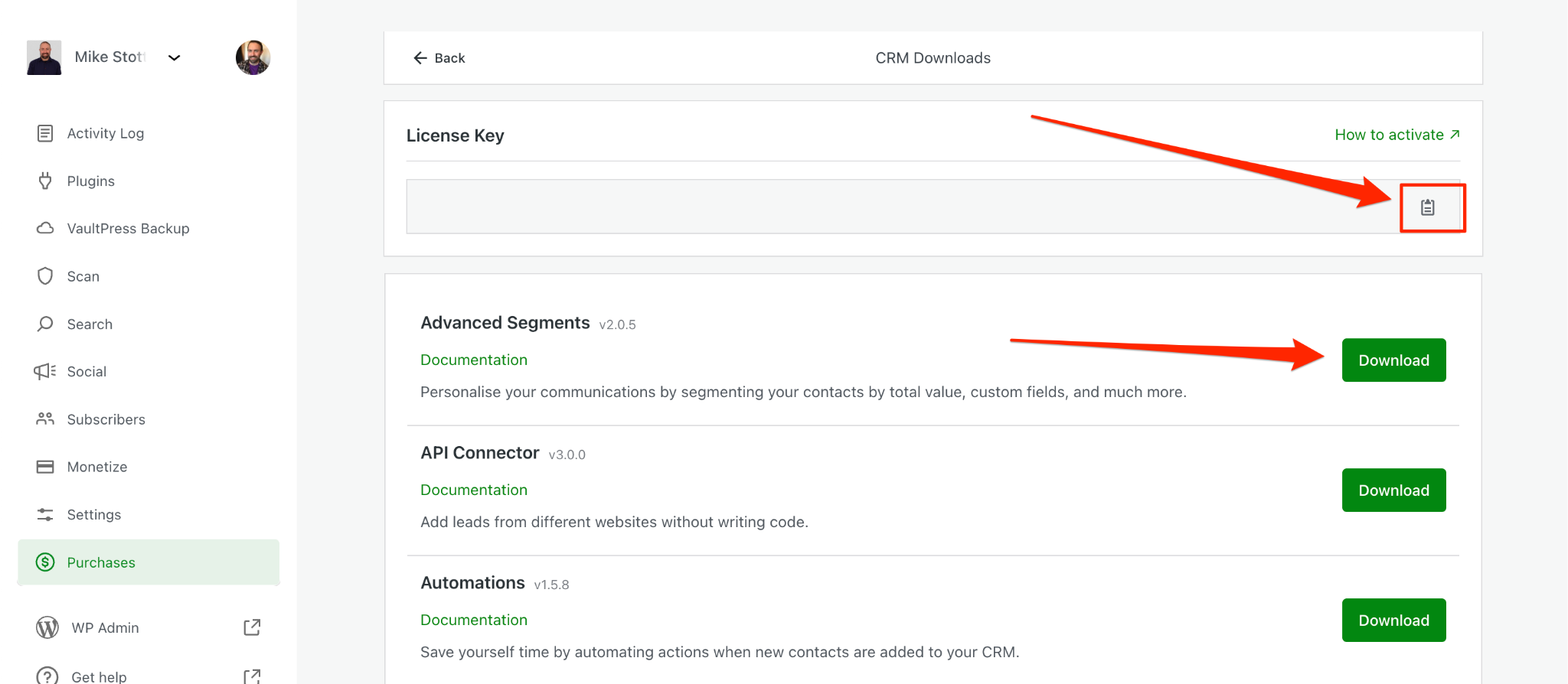
- Once you’ve copied the licence key and installed the extensions, head to Jetpack CRM settings and click the CRM Licence setting sidebar menu item. Then enter the Jetpack Complete key you’ve copied from above. Click the Save Settings button. More info to add the licence key in the CRM settings are also here.
- You’ll see a success message if the licence key is valid and hasn’t been used on another site before.
The licence key allows updates of the plugin directly to your WordPress website. You do not need to re-download the extensions from your account. When a new version of an extension is released, it will notify you via your plugins update page.
Manage and update the CRM extensions
Every time there is a new version of the extensions, you will find it available on the CRM Downloads are in the Jetpack Complete plan page.
The extensions are listed alphabetically on the page. If you want to be notified when we release a new feature or extension, you can sign up to the Jetpack CRM mailing list through this form:
Activate Jetpack CRM for Agency Partners
If you’re an Agency partner, the process to activate a key is the same as above:
- On the Agency-Cloud dashboard, you will find the licences issued for the site you manage, as well as the button to download the CRM extensions.
- You can then install them the same way as any other WordPress plugin; then, you can enter your Jetpack Complete key into the CRM licence key settings the same way as above.